
Writing markdowns is fun, and it's even better with Docusaurus because it's easy to use and has a lot of features that make your markdown more beautiful. But as a power user, you can extend the markdown syntax to make it more powerful with remark plugins.
Getting Started
In this guide, we will show you how to create a remark plugin for Docusaurus
that transform Markdown URL (with patterns) links (e.g.:
[hyperlink](some-url)) or URL plain texts to iframe elements.
Quick introduction to remark
remark is a markdown processor powered by plugins part of the unified collective. The project parses and compiles markdown, and lets programs process markdown without ever compiling to HTML (it can though). Powered by plugins to do all kinds of things: check markdown code style, add a table of contents, or compile to man pages.
View the project on GitHub or inspect the syntax tree on AST Explorer.
Or you can read the Transforming Markdown with Remark & Rehype blog to learn more about both remark and rehype. Most of the content in this guide is inspired by it.
Moreover, you can use community plugins to extend the markdown syntax. For more information, see:
awesome-remark— selection of the most awesome projects.- List of plugins.
remark-plugin topic— any tagged repo on GitHub.
Plugin concept
Plugins configure the processors they are applied in the following ways:
- they change the processor, such as the parser, the compiler, or by configuring data.
- they specify how to handle trees and files.
Plugins are a concept. They materialize as
Attachers.
Attachers are functions that take options and return a
Transformer.
Inside a Transformer, we can use the
unist-util-visit to visit
each node in the tree and transform it (change the node type, add attributes, or
modify the node value).
Install dependencies
Install the following dependencies:
pnpm add unist-util-visit joi
Joi is for validating the options of the plugin, you can parse the options manually but Joi is more convenient.
Define options schema
const Joi = require('joi');

const optionSchema = Joi.object({
  patterns: Joi.array().items(Joi.string(), Joi.object().regex()),
  iframeAttrs: Joi.object().pattern(Joi.string(), [
    Joi.number(),
    Joi.string(),
    Joi.boolean(),
  ]),
});
Our plugin will have two options:
patterns: an array of string or regex patterns to match the URL. If the URL matches one of the patterns, it will be transformed into an<iframe>element.iframeAttrs: an object of attributes to add to the<iframe>element. The value can be anumber,string, orboolean.booleanwithtruethe value will be converted to the attribute name without value, e.g.:crossorigin: truewill be converted tocrossoriginattribute.noteiframeAttrsobject keys are not camelCase, asallowfullscreen: truewill be passed asallowfullscreen.
Define the plugin
Just show the code first:
const Joi = require('joi');

const optionSchema = Joi.object({
  patterns: Joi.array().items(Joi.string(), Joi.object().regex()),
  iframeAttrs: Joi.object().pattern(Joi.string(), [
    Joi.number(),
    Joi.string(),
    Joi.boolean(),
  ]),
});

// NOTE: Keep it simple because we only check for node type and url scheme
const nodeSchema = Joi.object({
  type: Joi.string().valid('link', 'text'),
  value: Joi.string().uri({
    scheme: ['http', 'https'],
  }),
  url: Joi.string().uri({
    scheme: ['http', 'https'],
  }),
}).unknown();

function checkPatterns(url, patterns) {
  return patterns.some((pattern) => {
    const re = new RegExp(pattern);

    return re.test(url);
  });
}

function convertObjectToHTMLAttributes(obj) {
  return Object.entries(obj)
    .map(([key, val]) => {
      if (typeof val === 'boolean' && val === true) {
        return key;
      }
      return `${key}="${val}"`;
    })
    .join(' ');
}

function plugin(options = {}) {
  Joi.assert(options, optionSchema);

  const { patterns = [], iframeAttrs = {} } = options;

  // NOTE: Create function inside the plugin to access options
  async function transformer(tree) {
    const { visit } = await import('unist-util-visit');

    const test = (node) => {
      const check = nodeSchema.validate(node);

      return check.error === undefined;
    };

    visit(tree, test, (node, index, parent) => {
      const url = node.value ? node.value : node.url;

      if (!checkPatterns(url, patterns)) {
        return;
      }

      const newAttrs = convertObjectToHTMLAttributes(iframeAttrs);

      // NOTE: src should be the first attribute so it won't be overwritten
      const newValue = `<iframe src="${url}" ${newAttrs}></iframe>`;

      // We swap parent (usually "paragraph" node) with the new value if there
      // is only one child as there is no others "text" node in the
      // "paragraph" node
      if (parent.children.length === 1) {
        parent.type = 'html';
        parent.value = newValue;
        parent.children = [];
        return;
      }

      // We only swap the 'link' node with the new value if node is not the
      // only child
      node.type = 'html';
      node.value = newValue;
      node.children = [];
      delete node.url;
      delete node.title;
    });
  }
  return transformer;
}

module.exports = plugin;
Explanation
1. Validate the options
Joio.assert(options, optionSchema);
2. Extract the patterns and iframeAttrs from the options
We use
[]and{}as default values because we want to make sure the value is valid.
const { patterns = [], iframeAttrs = {} } = options;
3. Create the transformer function
function plugin(options = {}) {
  Joi.assert(options, optionSchema);

  const { patterns = [], iframeAttrs = {} } = options;

  // NOTE: Create function inside the plugin to access options
  async function transformer(tree) {
    const { visit } = await import('unist-util-visit');

    const test = (node) => {
      const check = nodeSchema.validate(node);

      return check.error === undefined;
    };

    visit(tree, test, (node, index, parent) => {
      const url = node.value ? node.value : node.url;

      if (!checkPatterns(url, patterns)) {
        return;
      }

      const newAttrs = convertObjectToHTMLAttributes(iframeAttrs);

      // NOTE: src should be the first attribute so it won't be overwritten
      const newValue = `<iframe src="${url}" ${newAttrs}></iframe>`;

      // We swap parent (usually "paragraph" node) with the new value if there
      // is only one child as there is no others "text" node in the
      // "paragraph" node
      if (parent.children.length === 1) {
        parent.type = 'html';
        parent.value = newValue;
        parent.children = [];
        return;
      }

      // We only swap the 'link' node with the new value if node is not the
      // only child
      node.type = 'html';
      node.value = newValue;
      node.children = [];
      delete node.url;
      delete node.title;
    });
  }
  return transformer;
}
Hm, why do we use dynamic import to import unist-util-visit?
unist-util-visit is a ESM
only
package, so we can't use require to import it. Then just use import?
Because we going to import the plugin into the docusaurus.config.js file, and
it's a CJS (CommonJS) module (not support ESM
yet), so we can't mix ESM
(ES Module) and CJS are in the same file.
There is a known issue that the plugin will cause build error because the plugin
uses "dynamic import"
(import)
to import the ES module unist-util-visit in the CJS module.
To fix this issue, you need to add sourceType: 'unambiguous', in the
babel.config.js file (Ref):
// babel.config.js
module.exports = {
  // ...
  sourceType: 'unambiguous',
};
The
visitbehaves exactly likeunist-util-visit-parentsfunction as it receives:
Then transformer function as the return value of the plugin function MUST be
a async function.
4. About the test function
In this example, test is a function that checks if the node is a link or
text node, and based on that we will check for the value or url property
that has the http or https protocol.
This usually is a string (e.g.: 'link'), an array (e.g.:
['link', 'text']) an object (e.g.: { type: 'link'}), or a function
that will be called with a
node and
should return true if the node should be visited.
For the sake of simplicity, you can pass an array ['link', 'text'] to the
visit and then check later.
We put the test function inside the transformer function because we want to
access the patterns from the options, then check it with the checkPatterns
function:
function checkPatterns(url, patterns) {
  return patterns.some((pattern) => {
    const re = new RegExp(pattern);

    return re.test(url);
  });
}
5. About the visitor function
Inspect the properties of nodes:
AST Explorer is a great tool to help you understand
AST and how to use unist-util-visit function. You can try it out to modify the
AST and see how it works.
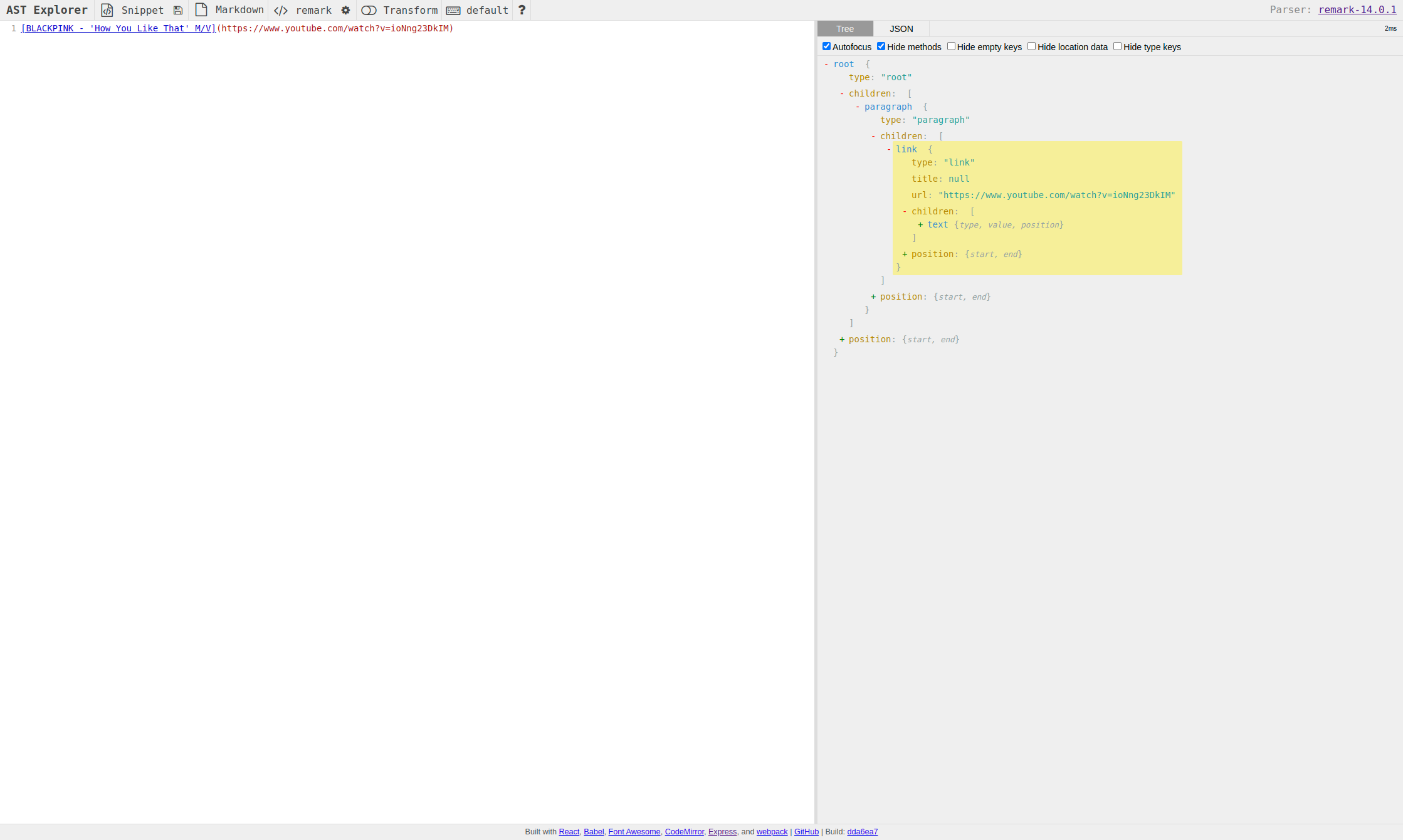
linknode structure:Input:
[BLACKPINK - 'How You Like That' M/V](https://www.youtube.com/watch?v=ioNng23DkIM)Yields:
{
  type: 'link',
  url: 'https://www.youtube.com/watch?v=ioNng23DkIM',
  title: null,
  children: [
    {
      type: 'text',
      value: "BLACKPINK - 'How You Like That' M/V",
      position: { start: [Object], end: [Object] }
    }
  ],
  position: { start: [Object], end: [Object] }
}
Demo:
textnode structure:Input:
https://www.youtube.com/watch?v=ioNng23DkIMYields:
{
  type: 'text',
  value: 'https://www.youtube.com/watch?v=ioNng23DkIM',
  position: { start: [Object], end: [Object] }
}
Demo:
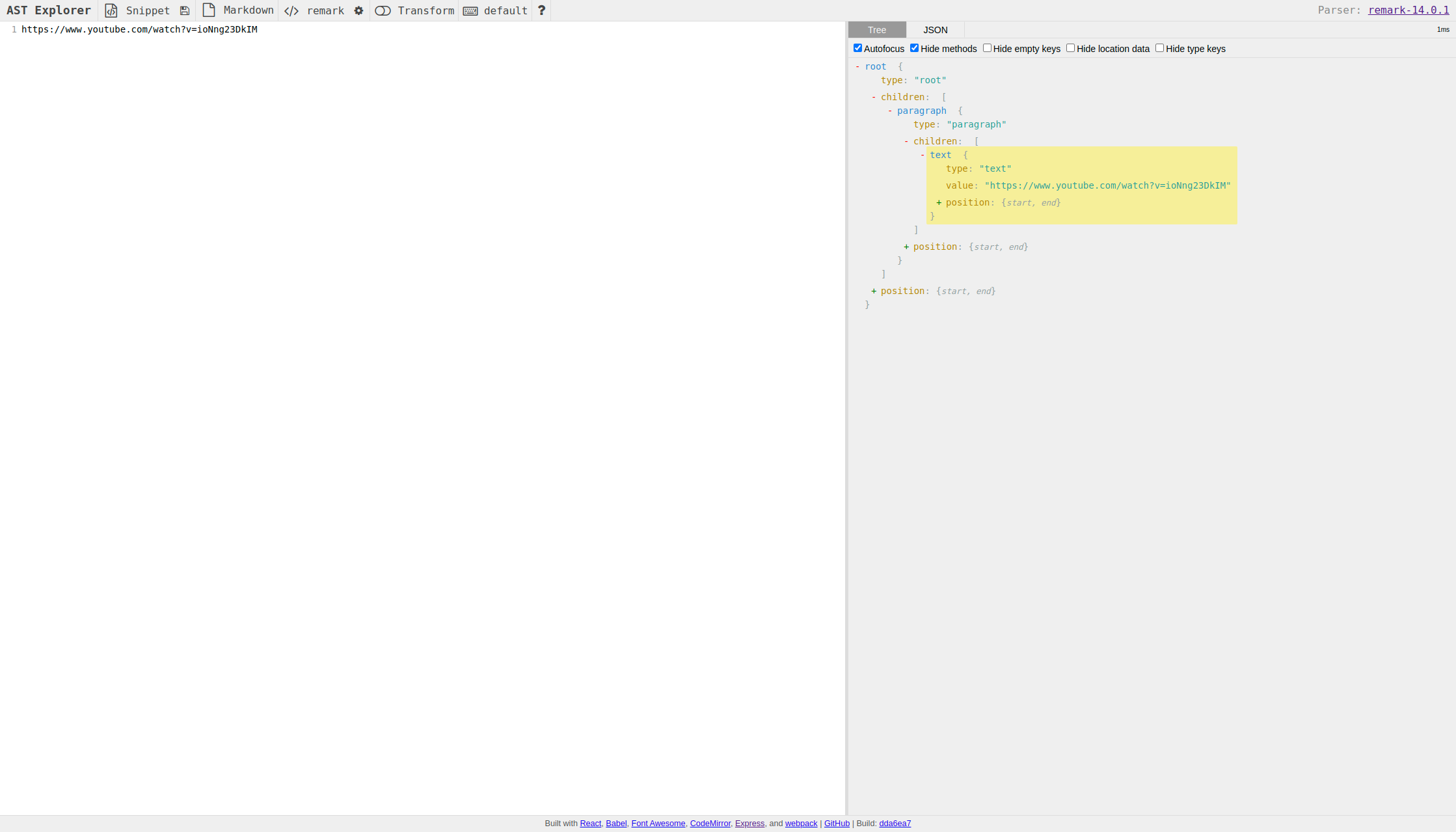
Docusaurus will detect the text node that has URL protocol and convert it to a
link node for us. We don't know how to override this behavior, even if put the
plugin in the
beforeDefaultRemarkPlugins
option.
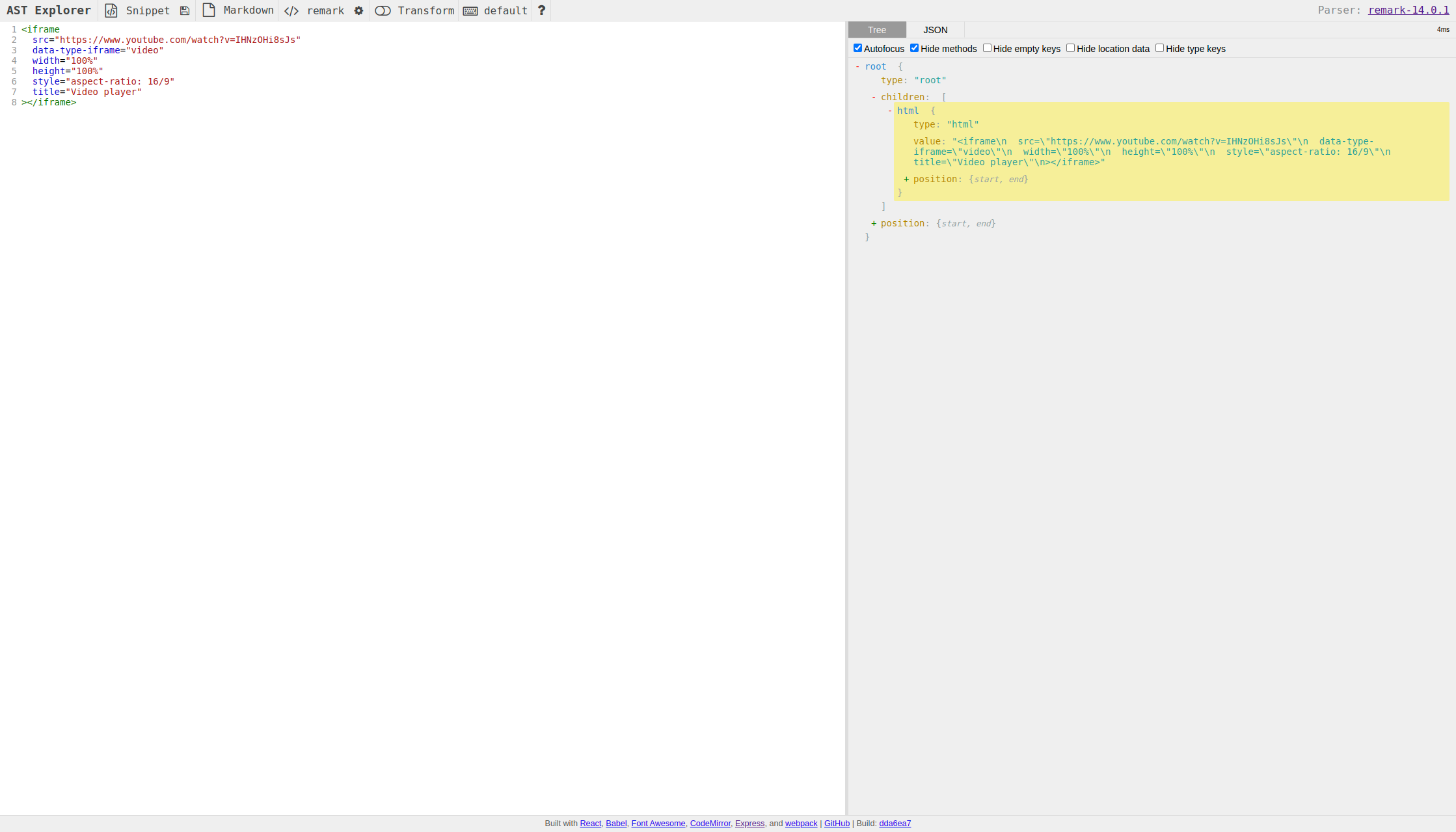
htmlnode structure:Input:
<iframe
  src="https://www.youtube.com/watch?v=IHNzOHi8sJs"
  data-type-iframe="video"
  width="100%"
  height="100%"
  style="aspect-ratio: 16/9"
  title="Video player"
></iframe>
Yields:
{
  type: 'html',
  value: "<iframe\n  src=\"https://www.youtube.com/watch?v=IHNzOHi8sJs\"\n  data-type-iframe=\"video\"\n  width=\"100%\"\n  height=\"100%\"\n  style=\"aspect-ratio: 16/9\"\n  title=\"Video player\"\n></iframe>",
  position: { start: [Object], end: [Object] }
}
Demo:
Construct the new html node
A function that converts the object properties to HTML attributes:
function convertObjectToHTMLAttributes(obj) {
  return Object.entries(obj)
    .map(([key, val]) => {
      if (typeof val === 'boolean' && val === true) {
        return key;
      }
      return `${key}="${val}"`;
    })
    .join(' ');
}
Kinda messy, but it works. The
booleanvalue withtruewill be converted to a key without value, e.g.:crossorigininstead ofcrossorigin="true". Read more about HTML boolean attributes.Construct the new
<iframe>HTML node:const newAttrs = convertObjectToHTMLAttributes(iframeAttrs);
// NOTE: src should be the first attribute so it won't be overwritten
const newValue = `<iframe src="${url}" ${newAttrs}></iframe>`;infoRefer to this StackOverflow answer, the later
srcattribute is ignored if the user unintentionally put it in the middle of the<iframe>tag.
Modify the AST tree
Each link or text node always a
child of a paragraph node.
Because the html node is not a child of a paragraph node, we can swap the
paragraph node with the html node if the html node is the only child of
the paragraph parent
node. Otherwise, we will just replace the link or text node with the
html and leave the paragraph node as it is.
// We swap parent (usually "paragraph" node) with the new value if there
// is only one child as there is no others "text" node in the
// "paragraph" node
if (parent.children.length === 1) {
  parent.type = 'html';
  parent.value = newValue;
  parent.children = [];
  return;
}

// We only swap the 'link' node with the new value if node is not the
// only child
node.type = 'html';
node.value = newValue;
node.children = [];
delete node.url;
delete node.title;
Import the plugin
Now we have the plugin, we can import it in the docusaurus.config.js file.
Because we include the plugin in the docs preset, so the plugin will only be
used for the docs pages.
const transformURL = require('./src/remark/transformURL');

const config = {
  presets: [
    [
      'classic',
      {
        docs: {
          beforeDefaultRemarkPlugins: [
            [
              transformURL,
              {
                patterns: ['example.com'],
                iframeAttrs: {
                  width: '500px',
                  height: '500px',
                  style: 'aspect-ratio: 1/1;',
                  title: 'Video player',
                  frameborder: 0,
                  allow:
                    'accelerometer; autoplay; clipboard-write; encrypted-media; gyroscope; picture-in-picture',
                  allowfullscreen: true,
                },
              },
            ],
          ],
        },
      },
    ],
  ],
};

module.exports = config;
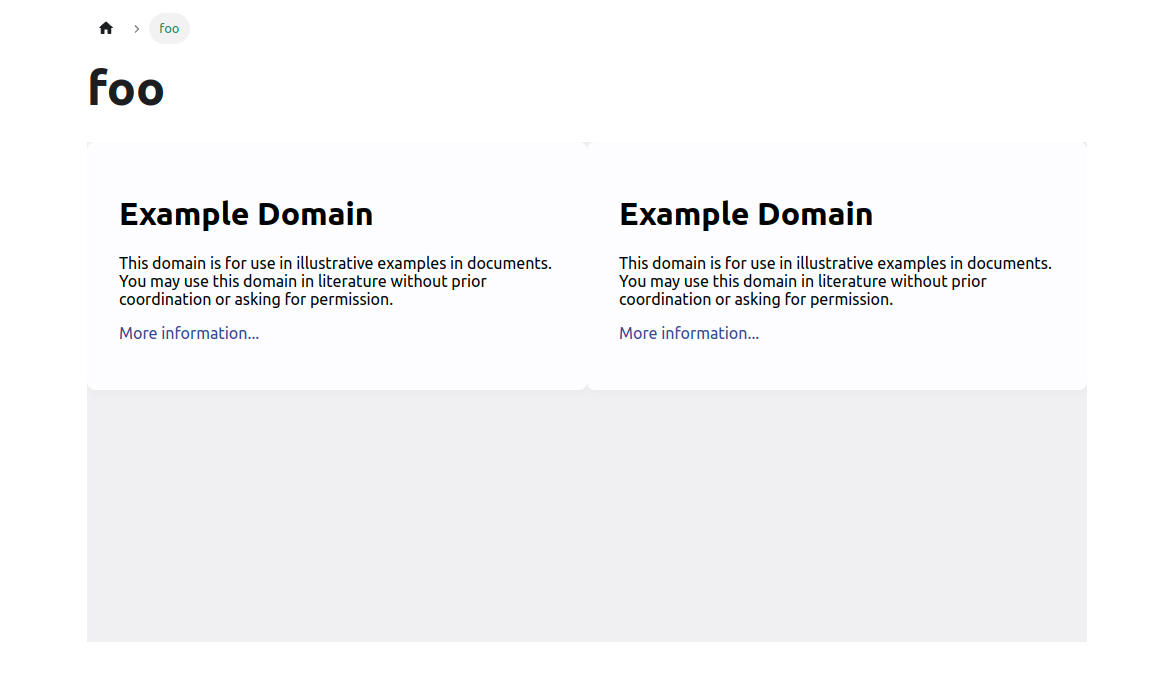
Then with input:
https://example.com

[foo](https://example.com)
We will get the output:
<iframe
  title="Video player"
  src="https://example.com"
  width="500px"
  height="500px"
  frameborder="0"
  allow="accelerometer; autoplay; clipboard-write; encrypted-media; gyroscope; picture-in-picture"
  allowfullscreen=""
  style="aspect-ratio: 1 / 1;"
></iframe>
Demo:
Advanced Usage
Convert URL to react-player component
With the plugin above, we can use it to convert the URL to an <iframe> HTML
and then register the <iframe> to Docusaurus's default MDX components.
Install dependencies
react-playeris a React component for playing a variety of URLs, including file paths, YouTube, Facebook, Twitch, SoundCloud, Streamable, Vimeo, Wistia, Mixcloud, DailyMotion and Kaltura.
pnpm add react-player
Define the plugin
/* eslint-disable @typescript-eslint/no-var-requires */
const transformURL = require('./transformURL');

// Ref: https://cookpete.com/react-player/
const DEFAULT_PATTERN = [
  '\\.mp4$',
  '\\.webm$',
  '\\.ogv$',
  '\\.mp3$',
  '\\.m3u8$',
  '\\.mpd$',
  '\\.mov$',
  'soundcloud.com',
  'youtube.com',
  'facebook.com',
  'vimeo.com',
  'twitter.tv',
  'streamable.com',
  'wistia.com',
  'dailymotion.com',
  'mixcloud.com',
  'vidyard.com',
  'kaltura.com',
];

function plugin(options) {
  return async (tree) => {
    const transformer = transformURL({
      patterns: [...DEFAULT_PATTERN, ...(options?.patterns || [])],
      iframeAttrs: {
        // NOTE: Set data-type-iframe to 'video' to be able to differentiate
        // between video and normal iframe
        'data-type-iframe': 'video',
        width: '100%',
        height: '100%',
        style: 'aspect-ratio: 16/9;',
        title: 'Video player',
        frameborder: 0,
        allow:
          'accelerometer; autoplay; clipboard-write; encrypted-media; gyroscope; picture-in-picture',
        allowfullscreen: true,
        ...options?.iframeAttrs,
      },
    });

    await transformer(tree);
  };
}

module.exports = plugin;
This plugin uses remark-url-to-iframe plugin to transform URL (with
patterns) links (e.g.: [hyperlink](some-url)) or URL plain texts to iframe
elements.
This plugin passes some default options to remark-url-to-iframe plugin, you
can override them with your own options.
We set data-type-iframe to 'video' to be able to differentiate between video and normal iframe.
Register the plugin
const transformVideo = require('./src/remark/transformVideo');

const config = {
  presets: [
    [
      'classic',
      {
        docs: {
          beforeDefaultRemarkPlugins: [
            [transformVideo, { patterns: ['youtube.com'] }],
          ],
        },
      },
    ],
  ],
};

module.exports = config;
Then we can map the URL to the <iframe> HTML with the attribute
data-type-iframe="video.
Create the <VideoPlayer /> component
import React from 'react';
import ReactPlayer from 'react-player';
import type { ReactPlayerProps } from 'react-player';

const VideoPlayer = ({
  src,
  ...props
}: {
  src: string;
} & ReactPlayerProps) => {
  return <ReactPlayer controls url={src} {...props} />;
};

export { VideoPlayer };
Map the <iframe> HTML to react-player component
// Import the original mapper
import MDXComponents from '@theme-original/MDXComponents';
import React from 'react';
import { VideoPlayer } from '@site/src/components/elements/VideoPlayer';

export default {
  // Re-use the default mapping
  ...MDXComponents,
  // Map the "iframe" tag to our <VideoPlayer /> component!
  // `VideoPlayer` will receive all props that were passed to `iframe` in MDX
  iframe: (props) => {
    if (props['data-type-iframe'] === 'video') {
      return <VideoPlayer {...props} />;
    }
    return <iframe title={props.title} {...props}></iframe>;
  },
};
At this file we import the original
mapper
from @theme-original/MDXComponents and then we re-export it with our custom
mapping. Note that we only map the <iframe> HTML with the attribute
data-type-iframe="video to our <VideoPlayer />.
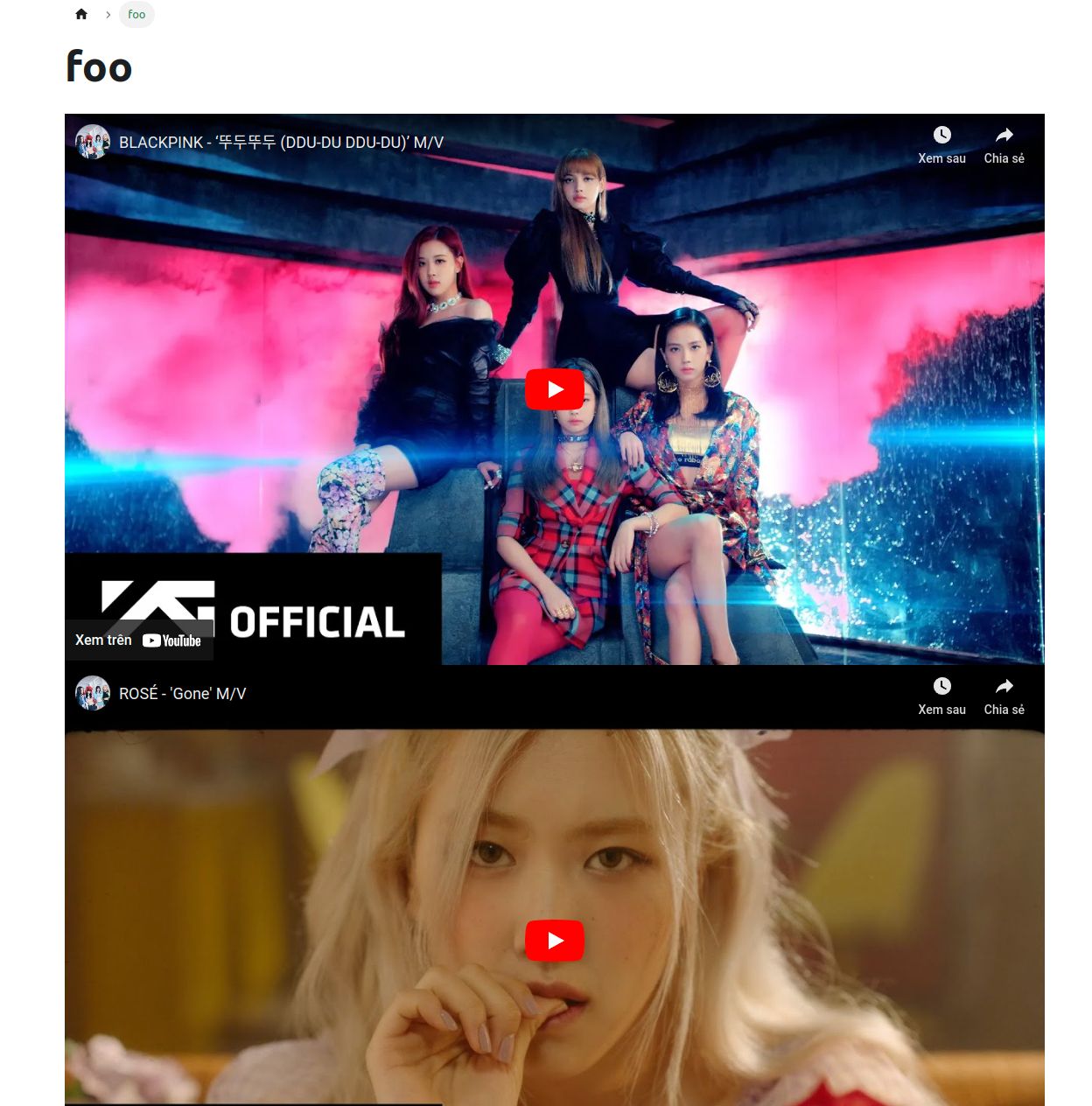
Demo
Manually parse Markdown string with @mdx-js/mdx
We can also manually parse the Markdown string (from the server) with
@mdx-js/mdx and then transform the URL to the react-player component.
Manually parsed Markdown content with
evaluate function:
This requires
@mdx-js/mdx,@mdx-js/reactandrehype-rawpackages:pnpm add @mdx-js/mdx @mdx-js/react@1.6.22 rehype-rawNote: Currently, Docusaurus v2 is currently working on migrating to
@mdx-js/react v2. Before that, we need to install@mdx-js/react@1.6.22to make it works.@mdx-js/mdxis a unified pipeline — wrapped so that most folks don’t need to know about unified: core.js#L65. The processor goes through these steps:- Parse MDX (serialized markdown with embedded JSX, ESM, and expressions) to mdast (markdown syntax tree).
- Transform through remark (markdown ecosystem).
- Transform mdast to hast (HTML syntax tree).
- Transform through rehype (HTML ecosystem).
- Transform hast to esast (JS syntax tree).
- Do the work needed to get a component.
- Transform through recma (JS ecosystem).
- Serialize esast as JavaScript.
Because
iframeis parsed asrawnodes when parsing the context to HTML syntax tree, we need to addrehype-rawplugin to handle therawnodes.We also have to "pass through"
remark-mdx(this plugin is run first) nodes sorehype-rawdon't have to handle them.We pass registered MDX components (in file
MDXComponentswe "swizzle" before) toevaluatefunction by setting theuseMDXComponentsoption.Note: We have to manually get registered MDX components using
useMDXComponentshook first.Note: Remember to wrap
ReleaseBodycomponent withMDXContentfrom@theme/MDXContentto provide the context of MDX components to theReleaseBodycomponent.Warning: Because we can't ensure the content is parsed correctly, we need to wrap the
ReleaseBodycomponent withErrorBoundarycomponent to be able to catch the error and display the error message.
// src/components/elements/ReleaseCard.tsx
import { evaluate, nodeTypes } from '@mdx-js/mdx';
import { useMDXComponents } from '@mdx-js/react';
import transformVideo from '@site/src/remark/transformVideo';
import Admonition from '@theme/Admonition';
import MDXContent from '@theme/MDXContent';
import React, { useEffect, useState } from 'react';
import * as runtime from 'react/jsx-runtime';
import rehypeRaw from 'rehype-raw';

const ReleaseBody = ({ body }) => {
  const components = useMDXComponents();

  const [parsed, setParsed] = useState<React.ReactNode>();

  useEffect(() => {
    const evaluateBody = async () => {
      const { default: BodyContent } = await evaluate(body, {
        ...runtime,
        remarkPlugins: [transformVideo],
        // Ref: https://github.com/atomiks/rehype-pretty-code/issues/6#issuecomment-1006220771
        rehypePlugins: [[rehypeRaw, { passThrough: nodeTypes }]],
        useMDXComponents: () => components,
        // eslint-disable-next-line @typescript-eslint/no-explicit-any
      } as any);

      setParsed(<BodyContent />);
    };

    evaluateBody();
  }, [body, components]);

  return <>{parsed}</>;
};

const ReleaseCard = ({ release, latest = false }) => {
  return (
    { /* ... */}
    <ErrorBoundary
      fallback={({ error }) => (
        <>
          <Admonition type="danger" title="Error">
            <p>This component crashed because of error: {error.message}.</p>
          </Admonition>
          <pre className="whitespace-pre-wrap">
            <code>{release.body}</code>
          </pre>
        </>
      )}
    >
      <MDXContent>
        <ReleaseBody body={release.body} />
      </MDXContent>
    </ErrorBoundary>
  );
};

export { ReleaseCard };
Troubleshooting
How to use remark plugins that are ES modules?
Most of the remark plugins rely on the unist-util-visit package to traverse
the tree. However, unist-util-visit has migrated to the ES module in version
3.0.0
and most of the built-in and community plugins have migrated too. Of course, you
can use the old version of unist-util-visit but it's not recommended.
Here is a workaround to use ES module remark-emoji plugins:
function plugin(options) {
  async function load() {
    const { default: emojiPlugin } = await import('remark-emoji');

    return emojiPlugin(options);
  }

  return async (tree) => {
    const transformer = await load();
    transformer(tree);
  };
}

module.exports = plugin;
- First, we need to import the plugin dynamically using the
import()function. Then execute the plugin with theoptionswe passed to the plugin, this will return atransformerfunction. - Then you MUST return an
asyncfunction that accepts thetreeand execute thetransformerfunction with thetreeas the argument.